Granola Review (2026): AI Meeting Notes That Stay Out of the Way
Granola review 2026 — AI meeting notes that blend with your own. Strengths, trade-offs and who should use it.
Key takeaways
- Granola takes AI meeting notes that build on what you type yourself, rather than just transcribing.
- Best for people who like taking some notes but want AI to fill in and polish them.
- Less relevant if you want zero involvement or work in highly restricted environments.
- A refined take on AI meeting notes.
Most AI notetakers either record everything or do nothing — there's little middle ground. Granola takes a different approach: it enhances the notes you take yourself. This review covers whether that blend works.
AI notetakers mostly fall into one camp: record everything and hand you a transcript. That works for some people, but many find a full transcript is too much raw material and still doesn't capture what they thought mattered. There's a middle ground — staying lightly involved by jotting key points while letting AI do the heavy lifting of completing and tidying them — and that's the space Granola targets. It's searched for precisely because it takes this different, more personal approach to meeting notes. This review covers how the blend works in practice, who it suits, and when a record-everything tool would serve you better instead.
The short verdict
Granola is an AI meeting-notes tool designed to build on your own jotted notes rather than just transcribe the call. You type a few key points during the meeting, and it fills in, structures and polishes them using the conversation. For people who like staying lightly involved in their notes, it's a refined, less intrusive take on the category.
What is Granola?
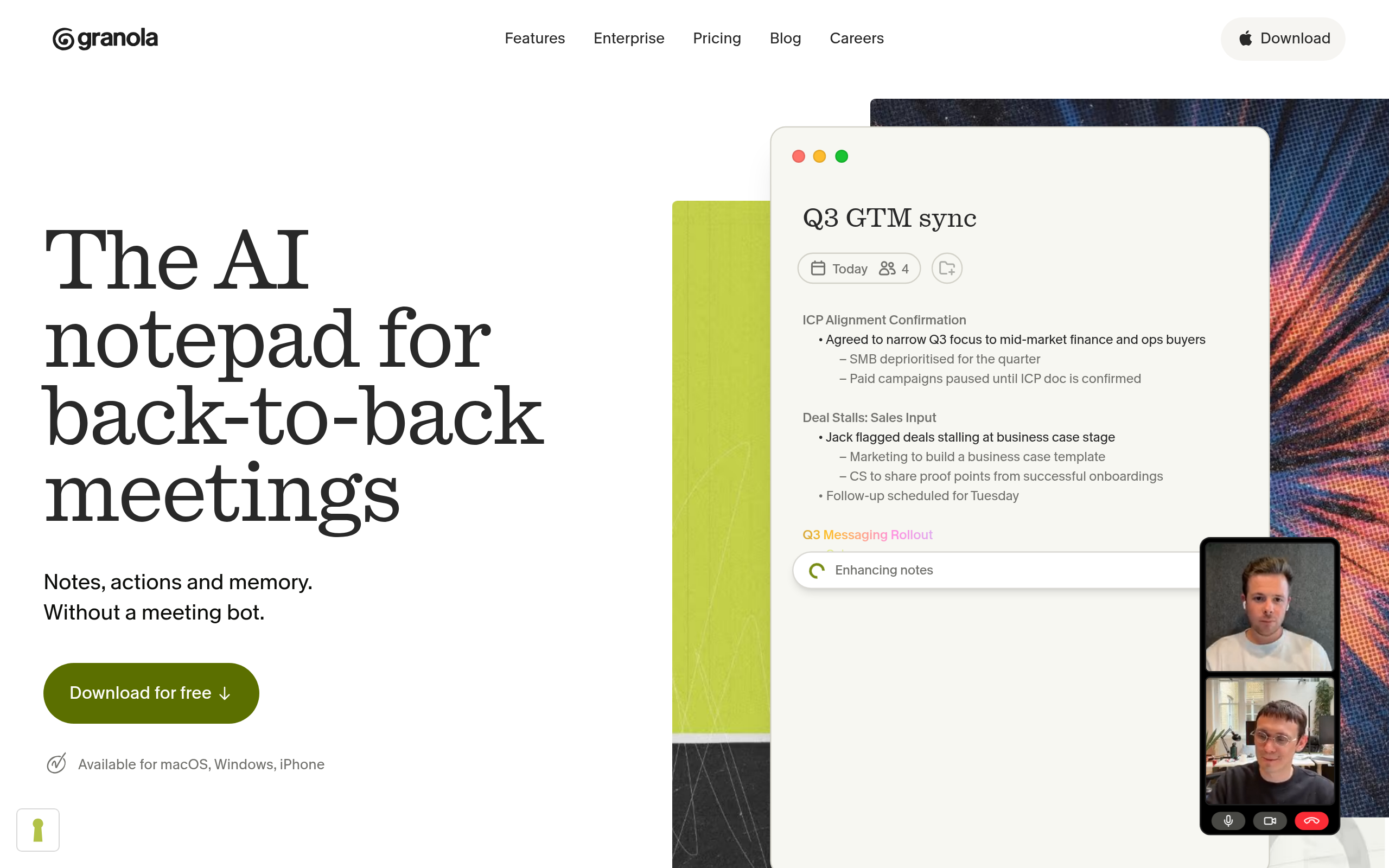
Granola blends your manual notes with AI. During a meeting you capture the points that matter to you, and afterward it enhances those into a complete, structured set of notes — combining your judgement about what's important with AI's ability to fill in detail and tidy things up. The result feels like your notes, only better, rather than a raw transcript you still have to process.
Who Granola is for
It fits people who already take some notes but want them to be better — those who like staying engaged by jotting key points, but don't want to capture everything or write up tidy notes afterward. If pure transcription feels like too much raw material and taking notes alone feels like too much work, Granola sits in the middle. It suits knowledge workers, managers and anyone who values notes that reflect their own priorities.
Strengths
The distinctive strength is the blend — your priorities plus AI polish — which produces notes that feel personal and useful rather than a wall of transcript. Because you stay lightly involved, the notes capture what you thought mattered, not just everything that was said. And the result is genuinely usable immediately, structured and clean, rather than something you still have to summarise.
Considerations
If you want zero involvement — to never touch your notes and have everything captured automatically — a pure recording-and-transcription tool may suit you better. As with any meeting tool, be mindful of privacy and consent depending on how it captures the conversation, and confirm what works in restricted environments. And AI polish, while strong, should be checked for high-stakes details.
How Granola compares
Granola differentiates itself by enhancing your notes rather than replacing your involvement — a contrast to record-everything notetakers. The right pick depends on how hands-on you want to be. Compare the options in the productivity & meetings category and the AI Tools, Comparisons & Workflows hub.
Pricing approach
Granola offers a way to try it before committing, with paid plans for regular use. Pricing changes, so confirm the current details on their site.
Pros and cons
| Pros | Cons |
|---|---|
| ✅ Blends your notes with AI polish | ⚠️ Not for those who want zero involvement |
| ✅ Notes reflect your priorities, not raw transcript | ⚠️ Mind privacy/consent depending on capture |
| ✅ Immediately usable, structured output | ⚠️ Check high-stakes details in the output |
| ✅ Try before committing |
How to get the most out of Granola
To get the most from Granola, jot the points that genuinely matter to you during the meeting — decisions, owners, open questions — and let it fill in and structure the rest afterward. Because the notes reflect your priorities, they're more useful than a full transcript you'd have to summarise. Build the light habit of capturing key points, and review the polished result for anything high-stakes.
Is Granola worth it?
Is Granola worth it? If you like staying lightly involved in your notes but want them complete and tidy without the work, yes — the blend of your priorities and AI polish hits a genuine sweet spot, producing notes that feel personal and are usable right away. If you'd rather never touch your notes and have everything recorded automatically, a transcription-first tool fits better.
Granola in practice
In practice, Granola appeals to the person who finds pure transcription overwhelming and manual write-ups tedious. By capturing the points you decide matter and letting AI complete and tidy them, it produces notes that read like your own — only finished. That subtle difference, notes shaped by your priorities rather than a flat record of everything said, is why people who try it often prefer it to record-everything tools. It rewards staying lightly engaged rather than fully hands-off.
Who should skip Granola
Who should skip Granola? If your ideal is to never think about notes at all and have every word captured automatically, a transcription-first notetaker is the better match. And as with any meeting tool, environments with strict capture or privacy rules need checking first. But for the large middle ground of people who like jotting key points and just want them to come out complete and clean, Granola hits a sweet spot few tools target.
The best way to evaluate Granola is to use it across a few meetings exactly as intended — jot the points that matter to you, and let it complete and tidy the rest. If the finished notes read like your own thinking, only cleaner, and you reach for them afterward instead of ignoring a transcript, you've found the sweet spot it's designed for. If instead you wish you'd simply recorded everything hands-off, that tells you a transcription-first tool is your better match. Because you can try it before committing, the comparison is easy to make on your own real meetings. For the "lightly involved, better notes" crowd, it's a genuinely thoughtful option.
It's also a good reminder that the best notes tool is the one that matches how you actually like to work. For people who enjoy staying engaged by capturing key points, a tool that respects that habit and simply finishes the job will feel far more natural than one that records everything and hands back a wall of text. Granola is built for exactly that preference, which is why the people it fits tend to really like it.
The verdict
Granola is a refined choice for people who like taking some notes but want AI to make them complete and tidy. Its blend of your priorities and AI polish produces notes that feel personal and are immediately usable. If you want a fully hands-off recorder instead, look at a transcription-first tool — but for the "lightly involved, better notes" sweet spot, Granola is well worth a trial.
Disclaimer: features and pricing change frequently — confirm the current details on the product's official site before deciding. This review is independent and based on the tool's general capabilities and positioning.
Tools mentioned in this guide
Pricing, features and model availability can change over time. Always verify current details on each tool's official website before deciding.
Frequently Asked Questions
What is Granola?
What is Granola?
How is Granola different from other notetakers?
How is Granola different from other notetakers?
Is Granola good if I don't want to take any notes?
Is Granola good if I don't want to take any notes?
What are good Granola alternatives?
What are good Granola alternatives?
Don't just pick a tool — get the whole workflow
Tell Comparee your goal and get a complete step-by-step AI workflow with the right tool for every step.