LogoAI Review (2026): AI Logo and Brand Creation
LogoAI review 2026 — AI logo generator and brand kit. Strengths, trade-offs, and the trademark caveat you should know.
Key takeaways
- LogoAI generates logos from your name and style preferences, and helps extend them into a basic brand.
- Best for startups and small businesses that need a logo quickly and affordably.
- Treat output as a starting point — AI logos don't guarantee originality or trademark clearance.
- One of the stronger dedicated AI logo tools.
A logo is often the first brand decision a new business makes — and the most stressful when budget is tight. LogoAI promises a fast, affordable path. This review covers how well it delivers and the one caveat you must not skip.
For a new business, a logo is often the first brand decision — and a stressful one, because it feels permanent and a designer can be expensive at the exact moment money is tightest. AI logo generators arrived to solve that, turning a name and a few preferences into usable options in minutes for a fraction of the cost. LogoAI is among the most searched because it's a dedicated logo tool that also helps with the basics of a brand, not just a single image. This review covers how well it works, who it fits, and the one caveat — trademark clearance — that you absolutely should not skip.
The short verdict
LogoAI is a dedicated AI logo generator that turns your business name and style preferences into logo options, then helps you extend the one you like into the basics of a brand. For startups and small businesses that need a logo quickly without a designer's budget, it's a strong, practical choice — as long as you treat the result as a starting point and check trademark availability before committing.
What is LogoAI?
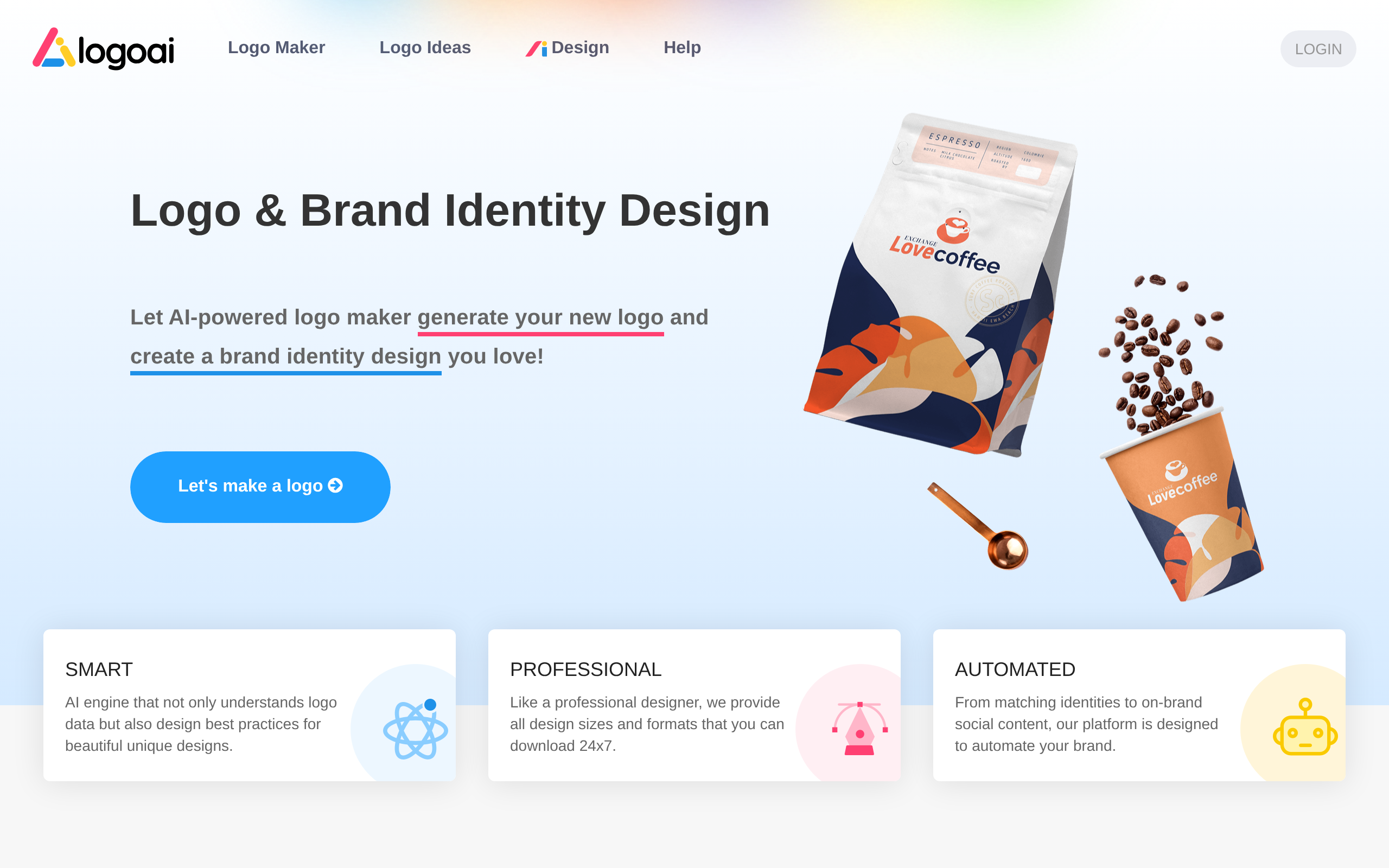
LogoAI generates logos based on your inputs — your name, industry and style preferences — and produces options you can refine. Beyond the logo itself, it helps with the early pieces of a brand (colours, fonts, simple assets), which is more useful than a logo in isolation. The whole idea is to get you from "no brand" to "a usable starting identity" fast.
Who LogoAI is for
It fits startups, small businesses and side projects that need a logo and basic brand quickly and affordably. If hiring a designer isn't in the budget yet, or you need something presentable now and can refine later, LogoAI gets you there. It's less aimed at established brands that need bespoke, hand-crafted identity work — though even they sometimes use it to explore directions.
Strengths
The main strengths are speed and cost — you get logo options in minutes for far less than commissioning a designer. The fact that it extends into a basic brand kit (not just a single logo) is genuinely useful, because consistency is what makes a brand feel real. And the low barrier means you can explore several directions before settling, which helps you avoid committing to the first idea.
Considerations
The critical caveat with any AI logo tool: it doesn't guarantee originality or trademark clearance. A logo can look great and still resemble an existing mark, so before you build a business on it, confirm it isn't already registered in your market. AI output is also a strong draft rather than a finished, designer-polished asset — for anything high-stakes, having a designer refine the final mark is wise. Treat the result as a fast, affordable starting point.
How LogoAI compares
LogoAI is among the stronger dedicated AI logo tools, but the right choice depends on whether you want pure logo generation, broader brand design, or templates to present an identity. See where it fits in our guide to the best AI logo generators and the design & branding category.
Pricing approach
LogoAI typically lets you explore and generate before paying to download high-resolution files and brand assets. Pricing changes, so confirm current details on their site — but the model is built around making a logo affordable for early-stage businesses.
Pros and cons
| Pros | Cons |
|---|---|
| ✅ Fast logo options in minutes | ⚠️ No guarantee of originality or trademark clearance |
| ✅ Extends into a basic brand kit | ⚠️ Output is a draft, not designer-polished |
| ✅ Far cheaper than commissioning a designer | ⚠️ Best refined by a human for high-stakes use |
| ✅ Explore several directions before committing |
How to get the most out of LogoAI
To get the most from LogoAI, generate several directions before settling, then refine the one you like and use the brand-kit features to lock in consistent colours and fonts — consistency is what makes a brand feel real. Before you build a business on the logo, do the one essential check: confirm the mark isn't already registered in your market, and consider having a designer polish the final version.
Is LogoAI worth it?
Is LogoAI worth it? For startups and small businesses that need a logo and basic brand quickly and affordably, yes — it gets you from "no brand" to "usable identity" in minutes for a fraction of a designer's cost. The non-negotiable caveat is the trademark check and treating the output as a starting point. Established brands needing bespoke identity work will want a designer, but even they sometimes use it to explore.
LogoAI in practice
In practice, LogoAI is the tool a founder reaches for at the exact moment they need a logo and have neither the budget nor the time for a designer. You enter your name and preferences, get options in minutes, and walk away with something presentable plus the basics of a brand. The brand-kit angle matters more than people expect: a logo alone isn't an identity, but consistent colours and fonts start to make one. It's a fast way to look credible early.
Who should skip LogoAI
Who should skip LogoAI? Established companies that need a distinctive, hand-crafted identity will want a professional designer — AI output is a strong draft, not a bespoke brand. And anyone who skips the trademark check is taking a real risk: a logo that unknowingly copies an existing mark is a problem regardless of how it was made. Used as a fast starting point with that check in mind, though, it's genuinely useful for early-stage businesses.
The sensible way to use LogoAI is to generate several directions, sit with the two or three you like, and only then refine and download — rather than grabbing the very first option. Use the brand-kit features to lock in consistent colours and fonts, because that consistency is what turns a logo into something that feels like a real identity. Then do the one step people skip at their peril: check that your chosen mark isn't already registered in your market. Handled that way, it's a fast, affordable path to looking credible early — exactly what a new business needs when a designer isn't yet in the budget.
The verdict
LogoAI is a practical, affordable way to get a logo and basic brand fast — a strong fit for startups and small businesses on a budget. Just remember the trademark caveat: treat the output as a starting point, verify the mark isn't already in use, and have a designer polish it for anything high-stakes. Used that way, it's a genuinely useful tool.
Disclaimer: features and pricing change frequently — confirm the current details on the product's official site before deciding. This review is independent and based on the tool's general capabilities and positioning.
Tools mentioned in this guide
Pricing, features and model availability can change over time. Always verify current details on each tool's official website before deciding.
Frequently Asked Questions
What is LogoAI?
What is LogoAI?
Can I trademark a LogoAI logo?
Can I trademark a LogoAI logo?
Is LogoAI good for startups?
Is LogoAI good for startups?
What are good LogoAI alternatives?
What are good LogoAI alternatives?
Don't just pick a tool — get the whole workflow
Tell Comparee your goal and get a complete step-by-step AI workflow with the right tool for every step.