PAROL6: A DESKTOP ROBOT ARM WITH INDUSTRIAL PRECISION
A 3D-printed 6-axis arm that hits 0.1 mm repeatability — a Hackaday-Prize desktop robot with real build files.
by Petar Crnjak (Source Robotics)
Robotics3D-printing
- difficulty
- ●●●●○
- time
- several weekends
- license
- GPL-3.0
- repo
- repo ACTIVE3,000 stars
●●●●○ · several weekends · GPL-3.0 · 3,000 stars · repo ACTIVE
WHAT YOU’LL NEED
- 3D printer + filament — printable parts — files are in the repo
- Electronic parts — full list with part numbers in the repo BOM
- Dev board / microcontroller — runs the project firmware
- Soldering kit + basic tools — one-time buy, serves every future build
Partner
COMPAREE VERDICT
PAROL6 is the desktop arm to build when you want real precision, not just a moving toy. Petar Crnjak designed a 3D-printed six-axis arm that reaches about 0.1 mm repeatability — genuinely industrial-feeling — and backed it with STL files, a BOM, control-board firmware and a proper written build guide, plus a Commander GUI, Python API and ROS2/MoveIt support. It's an honest hybrid: the free repo gives you STL and the essentials, but the editable STEP files are a paid product and most builders buy the custom control board rather than fab it. There's a clear safety file too — it warns about lethal voltages, so respect the electronics. For a serious, capable desktop arm with a strong docs site, it's one of the best.
IN THE REPO
NOT IN THE REPO
- —Free repo gives STL, BOM, control-board firmware and a written build guide
- —Editable STEP files are a paid product; the control board is sold (or self-fab)
- —A dedicated SAFETY_WARNING file flags lethal voltages
- —Companion repos: Commander GUI, Python API, ROS2/MoveIt
Can I build this?
This build involves mains voltage — for adults comfortable with electrical work only.
Build at your own risk. Projects involve tools, electronics and sometimes mains voltage — follow the creator’s safety notes.
 Partner · Kickstarter
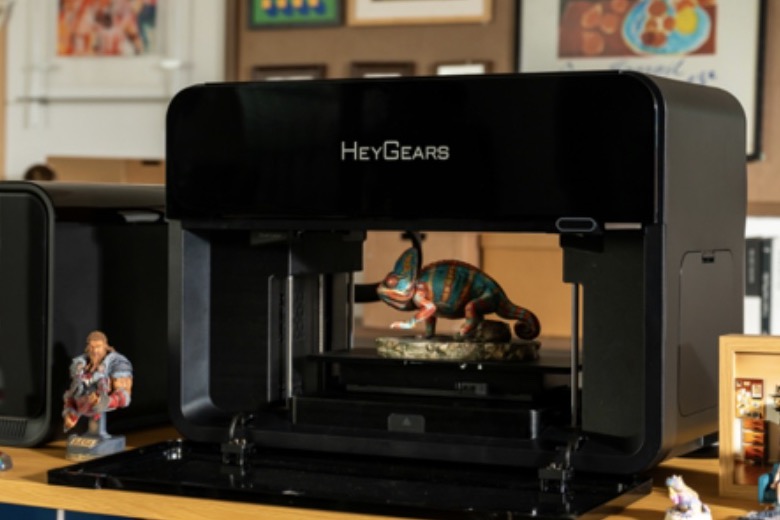
HeyGears G1: 10M+ colors and transparent parts in one print, plus UV printing on flat objects. Figures, parts and labels — no painting.
Videos
PAROL6 v1 - 3D Printed 6 Axis Robot Arm / Presentation
The creator's presentation of the arm.
Gallery
Start here
Navigation into the creator’s own docs — we don’t rewrite the guide, we route you to the source.
- 1.Read the docs (the full build guide)
- 2.Watch the presentation (see it move)
- 3.Get the STL + BOM (free in the repo)
- 4.Read the safety file (lethal voltages — read first)
- 5.Consider the control board / kit (buy or self-fab)
Resources
Documentation, files and community threads for this build — we link straight to the original sources and never rehost the creator’s files.

KNOWN ISSUES
- The free repo gives STL, but editable STEP files are a paid product
- Most builders buy the custom control board rather than fabricating it — it's a hybrid open/commercial project
- The project's safety file warns about lethal voltages — don't skip it
How precise is it really?
About 0.1 mm repeatability with a ~400 mm reach — close to industrial desktop arms, impressive for a printed design.
Is everything free?
The STL, BOM, firmware and build guide are free. The editable STEP files are a paid product, and the custom control board is sold (you can also fab your own).
Can I use ROS?
Yes — there's ROS2/MoveIt support plus a Commander GUI and Python API.
What does it cost?
Band $$ — STL is free, but the control board and kit add up. The BOM has current prices.
Community builds
No community builds yet — be the first, we feature the best ones.
Discussion1
FROM THE COMPAREE TEAM
PAROL6 gives away the STL, BOM and firmware but sells the editable STEP files and the control board. Is a hybrid free-plus-paid model the honest way to sustain open hardware?
You can 3D print your own 6-axis robotic arm at home
●●●●○ · a fully-free printable arm with editable sources
SO-ARM100: The Low-Cost Robot Arm Behind HuggingFace LeRobot
●●●○○ · a cheaper AI-learning-focused arm
OpenArm: A Research-Grade Force-Feedback Robot Arm
●●●●● · a research-grade force-feedback arm
Petar Crnjak (Source Robotics)
Designed a precise 3D-printed desktop six-axis arm, entered it in the Hackaday Prize, and built a full docs site and software ecosystem — with a hybrid free/paid model that funds the work.
Keep building — related projects
Same category, picked by how close they are to this build.
 FULL CAD
Amazing Hand: A Fully 3D-Printed Robotic Hand
Robotics3D-printing●●●○○moderate
 NO CAD FILES
SpotMicro: Print Your Own Spot-Style Robot Dog
Robotics3D-printing●●●●○advanced
 Partner · Kickstarter
CodeeBot: build the robot from Lego-compatible bricks and program it by hand; a GPT tutor explains each step.
 NO CAD FILES
ArachnoBot: A 3D-Printed Hexapod Spider Robot
Robotics3D-printing●●●●○advanced
 FULL CAD
Dummy-Robot — compact 6-axis desktop robotic arm (15k stars)
RoboticsOpen-hardware●●●●●expert
DISCLAIMER
- Comparee is not the author of the projects featured here. All rights to each project belong to its creator — every page links to the original source, and we never host creators’ files.
- Information is provided without warranty and may become outdated as projects evolve. Prices are indicative bands only — always check the creator’s parts list for current costs.
- Building and operating any project is at your own responsibility. Protective equipment, safe workshop practice and compliance with local regulations are the builder’s responsibility.
CompareeTEAM1mo ago
Something we don't often see in hobby repos: a dedicated SAFETY_WARNING file flagging lethal voltages, which tells you the creator takes the electronics side seriously. The precision claims held up in our reading too — about 0.1 mm repeatability from a printed desktop arm, with most builders opting to buy the control board rather than fabricate it. Anyone driven it under ROS2 with MoveIt yet?