AI Coding Assistants: The Complete Guide for 2026
AI coding assistants in 2026 — how they work, how to use them productively and safely, the risks, and the best tools (Copilot, Cursor, Replit).
Key takeaways
- AI coding assistants suggest code, write functions, explain errors and speed up development — acting like a pair programmer.
- They are great for autocomplete, boilerplate, tests and exploring unfamiliar code — but you must review everything they produce.
- Best tools: GitHub Copilot for broad in-editor help, Cursor for AI-first editing, Codeium for a free option, Tabnine for privacy, Replit for building.
- Never trust AI code blindly — it can be subtly buggy or insecure; review and test it.
- Use AI to go faster on things you understand, not to ship code you cannot explain.
An AI coding assistant uses a large language model to suggest code, write whole functions, explain errors and accelerate development — effectively acting as a tireless pair programmer inside your editor. For a huge number of developers, these tools have gone from novelty to daily driver: they remove the boilerplate, speed up the grind, and help you move faster through unfamiliar code. But they come with a real caveat — AI can produce code that looks right and is subtly wrong or insecure, so the skill is using them to amplify a developer, not to replace judgement. This guide covers how AI coding assistants work, how to use them well and safely, the best tools, and the risks to manage.
What is an AI coding assistant?
An AI coding assistant integrates a code-trained large language model into your development environment, where it predicts and suggests code as you type, generates functions from comments or descriptions, explains what code does, helps debug errors, and answers questions about your codebase. Some live inside your existing editor as an autocomplete-plus-chat layer; others are AI-first editors built around working with AI across a whole project; and some are environments for building and running apps with AI in the loop. What they share is a shift in how code gets written — from typing every line to describing intent and refining what the AI produces.
What AI coding assistants are great (and risky) at
AI excels at the repetitive and the exploratory: autocomplete that finishes your lines, boilerplate and scaffolding, tests, explaining unfamiliar code, and debugging help. These are where it reliably saves time. The risks are equally real. AI can generate code that is subtly buggy, insecure, or simply wrong in ways that look plausible — and it does so with total confidence. It can also encourage shipping code you do not actually understand, which is dangerous when something breaks. The governing rule is simple: use AI to go faster on things you understand and can verify, review every suggestion, and never let it produce code you could not have written and cannot explain.
Best AI coding assistants in 2026
| Use case | Best tool |
|---|---|
| Broad in-editor help | GitHub Copilot |
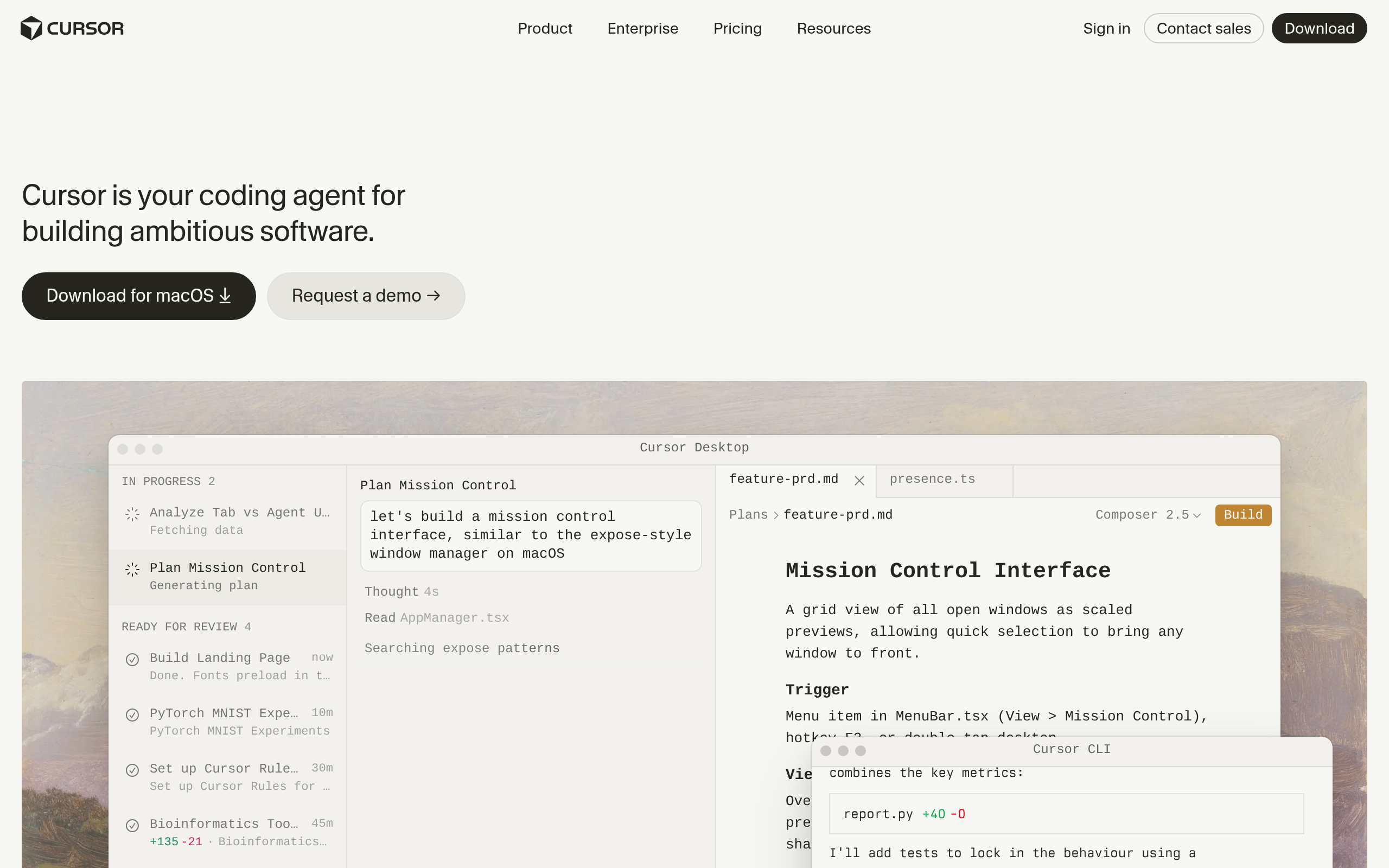
| AI-first editor | Cursor |
| Free / multi-IDE | Codeium |
| Privacy & teams | Tabnine |
| Building & shipping apps | Replit |
For broad, in-editor assistance across languages, GitHub Copilot is the mature default. For an editor built around AI that reasons across your whole codebase, Cursor. For a strong free option across many IDEs, Codeium. For teams with strict privacy and control needs, Tabnine. And for building and running whole apps with AI in the loop rather than just completing code, Replit. Compare more in our best AI coding assistants guide and the coding & software category.
How to use AI coding assistants productively (and safely)
- Give context — clear names, types and comments make the AI's suggestions far better.
- Review every suggestion — treat AI code as a draft from a junior dev, not gospel.
- Test everything — especially logic touching auth, data, money or security.
- Stay in control of understanding — do not ship code you cannot explain.
- Mind data handling — for sensitive code, choose a tool with the right privacy posture, like Tabnine.
- Use it to learn — ask it to explain unfamiliar code rather than just accepting it.
Will AI replace developers?
The honest answer is no — but it changes the job. AI handles more of the typing and the boilerplate, which raises the floor (beginners can do more) but also raises the bar on what makes a developer valuable: architecture, judgement, debugging the hard problems, understanding requirements, and knowing when the AI is wrong. The developers who thrive treat AI as a force multiplier that removes the grunt work, freeing them for the thinking that actually matters. The ones at risk are those who use it to avoid understanding their own code. The technology amplifies skill; it does not substitute for it.
How AI changed the developer workflow
For decades, writing software meant typing nearly every character — looking up syntax, writing boilerplate, wiring up the same patterns again and again. AI coding assistants collapse that mechanical layer. Instead of typing a function line by line, you describe what you want and refine what the model produces; instead of searching documentation, you ask the assistant inline. The effect on day-to-day work is significant: the tedious parts shrink, and developers spend more time on the parts that require actual thought — design, problem-solving, and getting the requirements right. This is why adoption has been so fast among working developers. It is not that AI writes better code than a skilled engineer; it is that it removes enough friction that a skilled engineer gets meaningfully more done. The workflow shift is from "author every line" to "direct and verify," and the developers who adapt to that mode are the ones seeing the biggest gains.
The discipline that separates good AI-assisted developers
The difference between developers who benefit from AI and those who get burned comes down to discipline. The ones who thrive treat every suggestion as a draft from a capable but fallible junior — useful, fast, but requiring review before it goes anywhere near production. They test rigorously, especially around security and data, because AI is confidently wrong in ways that pass a casual glance. And critically, they refuse to ship code they do not understand, using the assistant to learn unfamiliar patterns rather than to bypass understanding them. The ones who struggle do the opposite: accept suggestions wholesale, skip the review, and end up maintaining code they cannot explain when it breaks at 2am. The tool rewards good engineering habits and punishes their absence — which is exactly why it amplifies skill rather than replacing it.
The bottom line
AI coding assistants are among the highest-leverage tools a developer can adopt in 2026 — they remove boilerplate, speed up the grind, and help you navigate unfamiliar code. Use GitHub Copilot for in-editor help, Cursor for an AI-first workflow, Codeium for a free option, Tabnine for privacy, or Replit for building apps. Just hold the line on the fundamentals: review every suggestion, test thoroughly, and never ship code you do not understand. Used that way, AI makes good developers dramatically faster without compromising what makes their work trustworthy — and as the models keep improving, the developers who learn to direct and verify them well, rather than lean on them blindly, will keep pulling ahead of those who do neither.
Disclaimer: AI-generated code can be subtly buggy or insecure. Always review and test it, especially security-sensitive logic, and confirm each tool's data handling meets your requirements.
Tools mentioned in this guide
Pricing, features and model availability can change over time. Always verify current details on each tool's official website before deciding.
Frequently Asked Questions
What is an AI coding assistant?
What is an AI coding assistant?
What is the best AI coding assistant?
What is the best AI coding assistant?
Is it safe to use AI-generated code?
Is it safe to use AI-generated code?
Will AI replace programmers?
Will AI replace programmers?
Is there a free AI coding assistant?
Is there a free AI coding assistant?
Which AI coding tool is best for privacy?
Which AI coding tool is best for privacy?
Don't just pick a tool — get the whole workflow
Tell Comparee your goal and get a complete step-by-step AI workflow with the right tool for every step.