WeWeb Review (2026): Building Real Web Apps Without Code
WeWeb review 2026 — build production web apps without code. Strengths, trade-offs and who WeWeb is really for.
Key takeaways
- WeWeb is a no-code platform for building production-grade web apps with real design control.
- Best for teams that want a polished, customisable front-end connected to their own data.
- Less suited to people who want the absolute simplest drag-and-drop with no setup.
- A capable choice when "no-code but it needs to look and work professionally" is the goal.
No-code app builders range from toy-simple to genuinely powerful. WeWeb sits firmly toward the powerful end — built for real web apps, not just landing pages. This review covers what that means in practice and who it fits.
The no-code movement made it possible to build software without engineers, but early tools came with a visible trade-off: speed and simplicity in exchange for generic, templated output you couldn't fully control. As teams started shipping real products and customer-facing tools on no-code, that trade-off stopped being acceptable — they needed apps that looked professional and connected to their own data. WeWeb is searched for precisely because it targets that gap: no-code, but with real design control and production ambitions. This review examines whether it lives up to that, who it suits, and where a simpler tool would still be the faster choice.
The short verdict
WeWeb is a no-code web app builder aimed at production-quality apps with serious design control. If you want a polished, customisable front-end connected to your own backend or data, it's a strong choice. It asks a little more setup than the simplest builders, and that trade-off is exactly what gives you the extra control.
What is WeWeb?
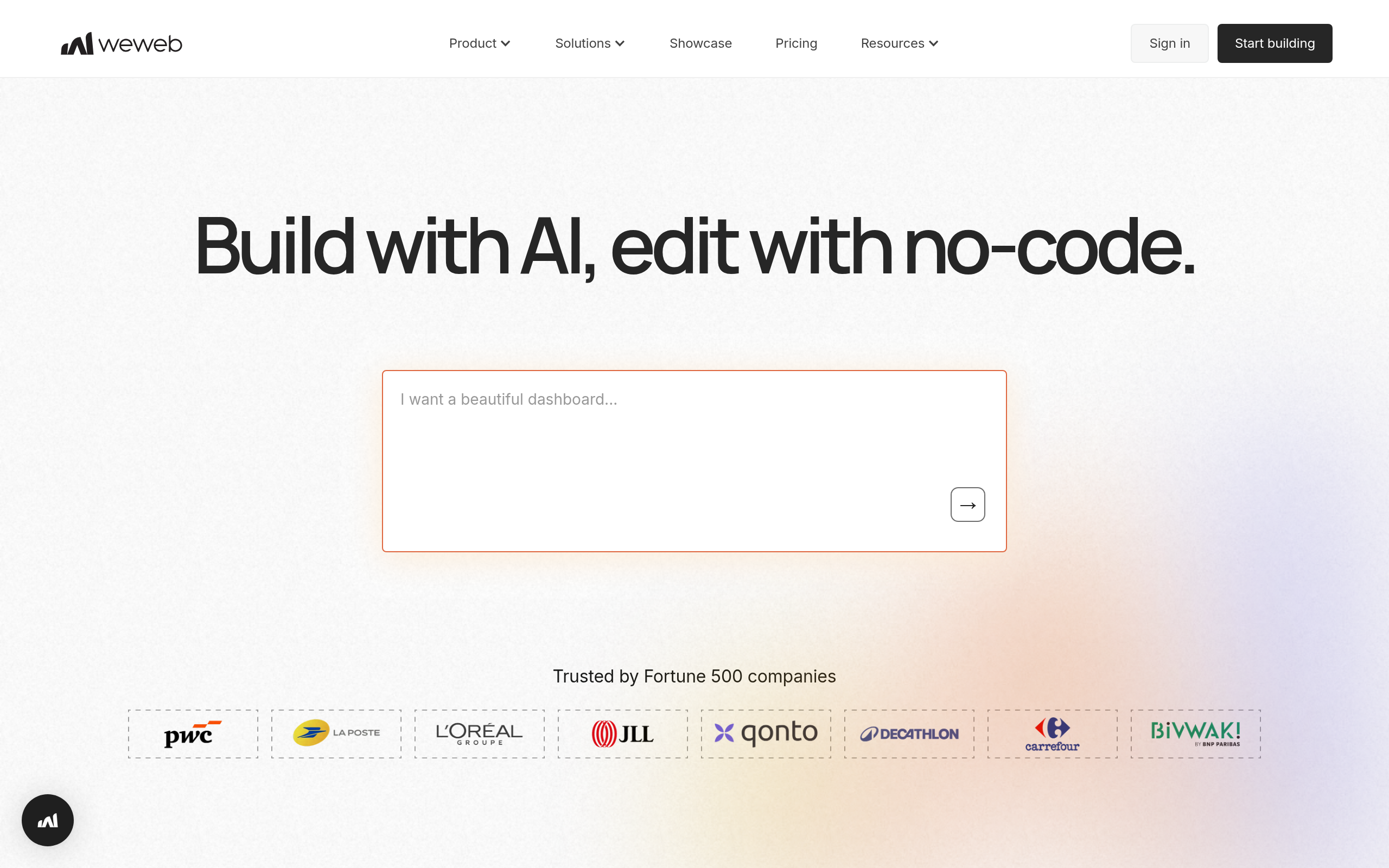
WeWeb lets you build web applications visually, with a focus on design flexibility and connecting to real data sources rather than being a closed all-in-one. The result is apps that can look and behave like custom-built software, without writing the front-end code yourself. It's the kind of tool you reach for when "no-code" needs to also mean "professional and tailored," not just "quick and generic."
Who WeWeb is for
It fits teams and builders who care about the end result looking and working well — startups building a real product front-end, agencies delivering client apps, and operations teams building internal tools that people actually want to use. If you've found simpler builders too limiting (locked-in templates, no design control, can't connect your data the way you need), WeWeb is likely the step up you're looking for.
Strengths
The standout is design control — you're not boxed into rigid templates, so the app can match your brand and your exact requirements. Its approach to connecting data means it plays well with your existing backend rather than forcing you into one ecosystem. And because it targets production apps, what you build is meant to ship and scale, not just demo.
Considerations
That capability comes with a slightly steeper starting point. WeWeb is more approachable than coding, but it's not the "click three things and you're live" experience of the simplest builders — you invest a bit more to get a lot more control. If your need is genuinely a basic page or a quick internal form, a lighter tool may be faster. As with any no-code platform, it's worth confirming it connects to your specific data stack the way you expect before committing.
How WeWeb compares
WeWeb is one of several no-code routes, and the right one depends on what you're building. Some tools are best for fast MVPs, others for internal tools, others for code-assisted development. See where WeWeb fits among the options in our guide to the best no-code AI app builders, plus more in the AI Tools, Comparisons & Workflows hub.
Pricing approach
WeWeb uses tiered plans suited to projects from prototypes to production. Pricing changes over time, so verify the current tiers on their site — but the model is built around shipping real apps rather than only experimenting.
Pros and cons
| Pros | Cons |
|---|---|
| ✅ Real design control — not locked into templates | ⚠️ More setup than the simplest drag-and-drop tools |
| ✅ Connects to your own backend/data | ⚠️ Overkill for a basic page or quick form |
| ✅ Built for production apps that ship and scale | ⚠️ Confirm it fits your specific data stack |
| ✅ Great step up from basic builders |
How to get the most out of WeWeb
To get the most from WeWeb, scope a real but focused first version — one core flow that delivers value — and build it properly with your own data behind it, rather than trying to recreate an entire product at once. Lean into the design control to match your brand, and confirm early that it connects cleanly to your backend. Ship the focused version, learn from real users, and expand from there.
Is WeWeb worth it?
Is WeWeb worth it? If you've been frustrated by basic builders' locked templates and limited data options, yes — WeWeb gives you the polish and control to ship something that looks and works like custom software, without writing the front-end yourself. If your need is genuinely a simple page, a lighter tool is faster. For real web apps, the extra setup pays off.
WeWeb in practice
In practice, WeWeb is the tool teams reach for when "no-code" can't mean "looks generic." It's common to see startups build a real product front-end, agencies deliver polished client apps, and ops teams create internal tools that people actually enjoy using because they're designed properly. The pattern is usually a team that tried a simpler builder, hit a wall on design or data flexibility, and moved up to WeWeb for the control — without taking on a full engineering build.
Who should skip WeWeb
Who should skip WeWeb? If what you need is a basic landing page or a single quick form, WeWeb is more than the job requires and a lighter tool will be faster. And if you want absolutely zero setup and are happy with templated output, the trade-off won't appeal. But when the result genuinely has to look and work professionally, the modest extra effort is exactly what delivers that.
The cleanest way to decide on WeWeb is to define the one core flow your app must nail, then build just that and see how it feels. If the design control and data flexibility let you produce something you'd be happy to put in front of users, the modest extra setup has paid for itself. If you find yourself wishing for something even simpler, that's a signal your project may not need this much capability yet. Either way, you'll know quickly. The teams who love WeWeb are almost always the ones who hit the ceiling of a basic builder first — so if that's you, this is likely the upgrade you've been looking for, without committing to a full engineering build.
The verdict
WeWeb is a strong no-code choice when the output needs to be professional — a real web app with design control and your own data behind it. It's not the absolute simplest tool, and it doesn't try to be; it trades a little initial setup for a lot more polish and flexibility. If you've been frustrated by the limits of basic builders, WeWeb is well worth a serious trial.
Disclaimer: features and pricing change frequently — confirm the current details on the product's official site before deciding. This review is independent and based on the tool's general capabilities and positioning.
Tools mentioned in this guide
Pricing, features and model availability can change over time. Always verify current details on each tool's official website before deciding.
Frequently Asked Questions
What is WeWeb used for?
What is WeWeb used for?
Is WeWeb good for beginners?
Is WeWeb good for beginners?
What is the difference between WeWeb and simple app builders?
What is the difference between WeWeb and simple app builders?
What are good WeWeb alternatives?
What are good WeWeb alternatives?
Don't just pick a tool — get the whole workflow
Tell Comparee your goal and get a complete step-by-step AI workflow with the right tool for every step.